

Metal mobile phone clip double monocular astronomical telescope microscope eyepiece connected to mobile phone for taking picture
E
Precio de oferta
$5.00
Precio habitual
$30.00
Ir directamente a la información del producto










Metal mobile phone clip double monocular astronomical telescope microscope eyepiece connected to mobile phone for taking picture
Precio de oferta
$5.00
Precio habitual
$30.00
Envío calculado en el pago.
SPECIFICATIONS
Brand Name: SAGA
High-concerned chemical: none
Origin: Mainland China
Product Material: Aluminum Alloy
Type: Monocular
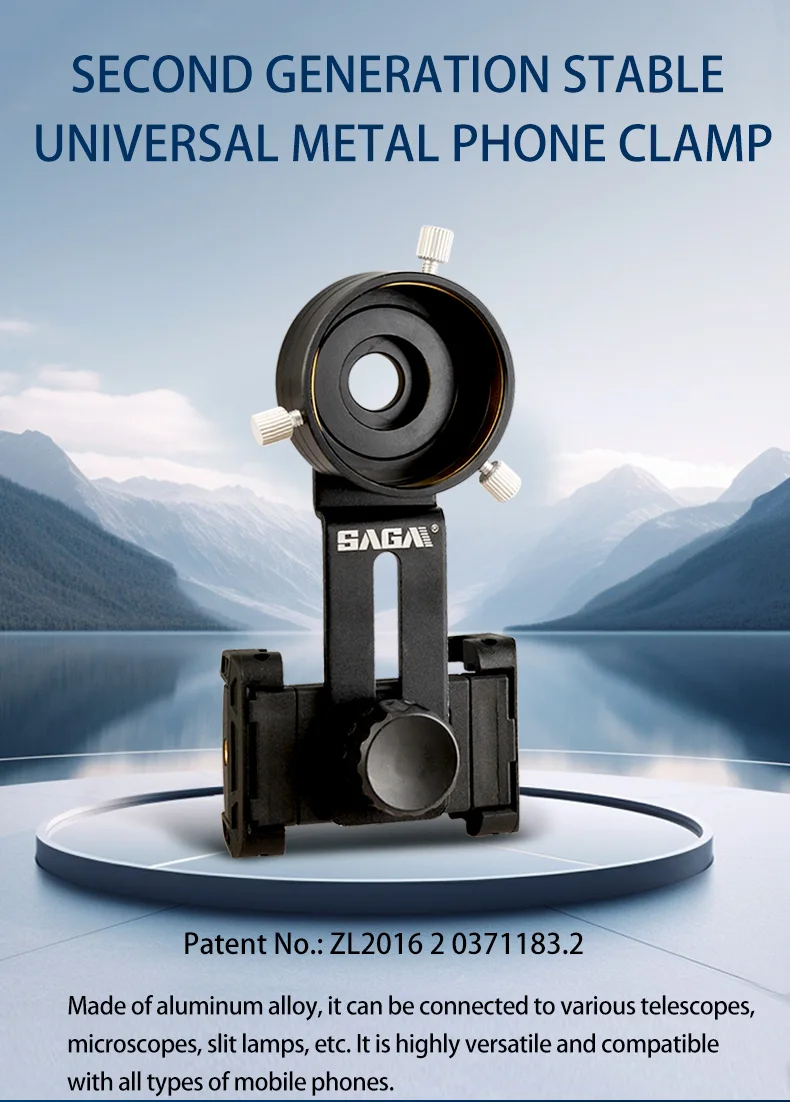
Second generation stable universal metal phone holder
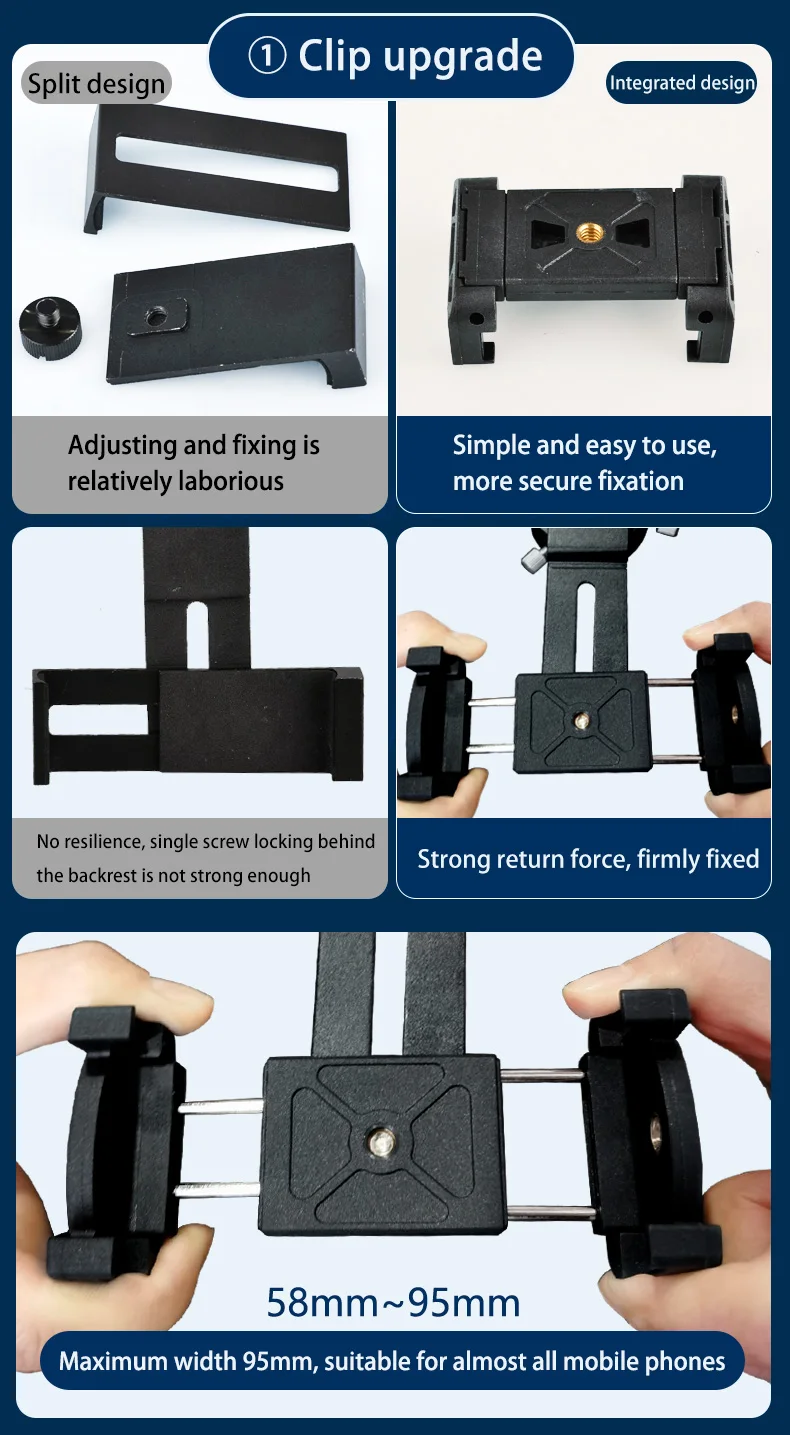
New upgraded mobile phone holder
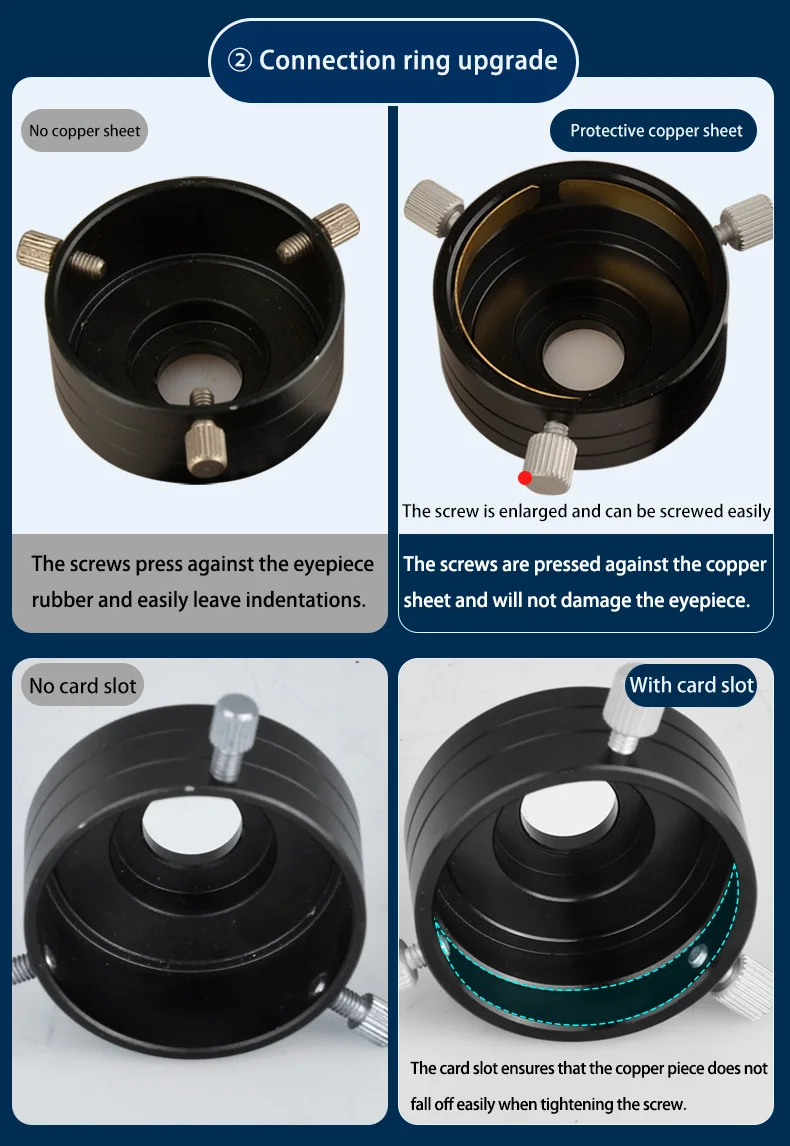
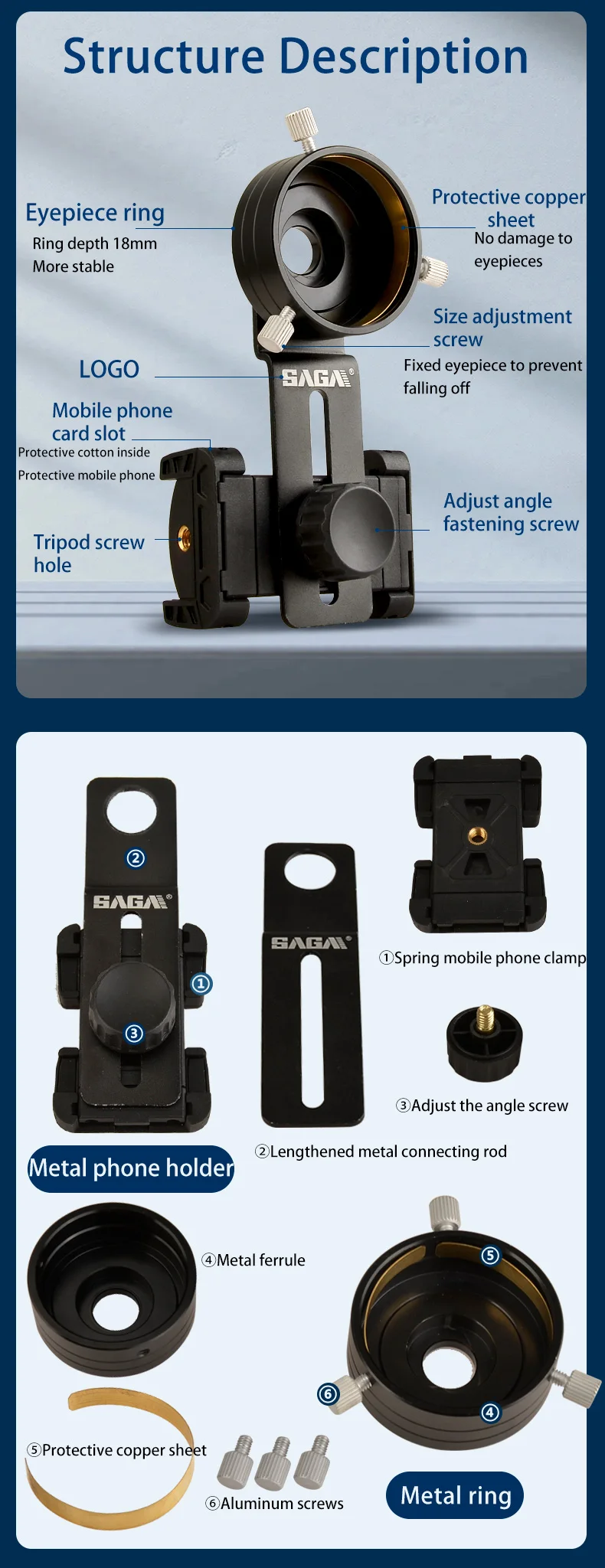
With protective copper sheet, no eyepiece; with adjustment screws to match eyepieces of different sizes; long rod design, will not get stuck on the buttons on the side of the phone
It is compatible with all kinds of telescopes.
The five sizes basically cover 95% of the telescopes
on the market and support eyepieces of different
sizes (eyepiece outer diameter).
Product Parameters
product:Second generation stable universal metal phone holder
Connectable products:Various telescopes: monocular telescope, binoculars,Bird-watching telescope, astronomical telescope
Various microscopes: biological microscope,
stereo microscope ,Metallurgical microscope
Slit lamp, etc.
Product Model:A:30~36mm B:36~41mm
C:41~46mm D:44~49mm
E:52~57mm
Support mobile phone:Suitable for common mobile phones with a width of 58~95mm
Product Material:Aluminum Alloy
1:Set main camera: Open the camera and select the main camera.
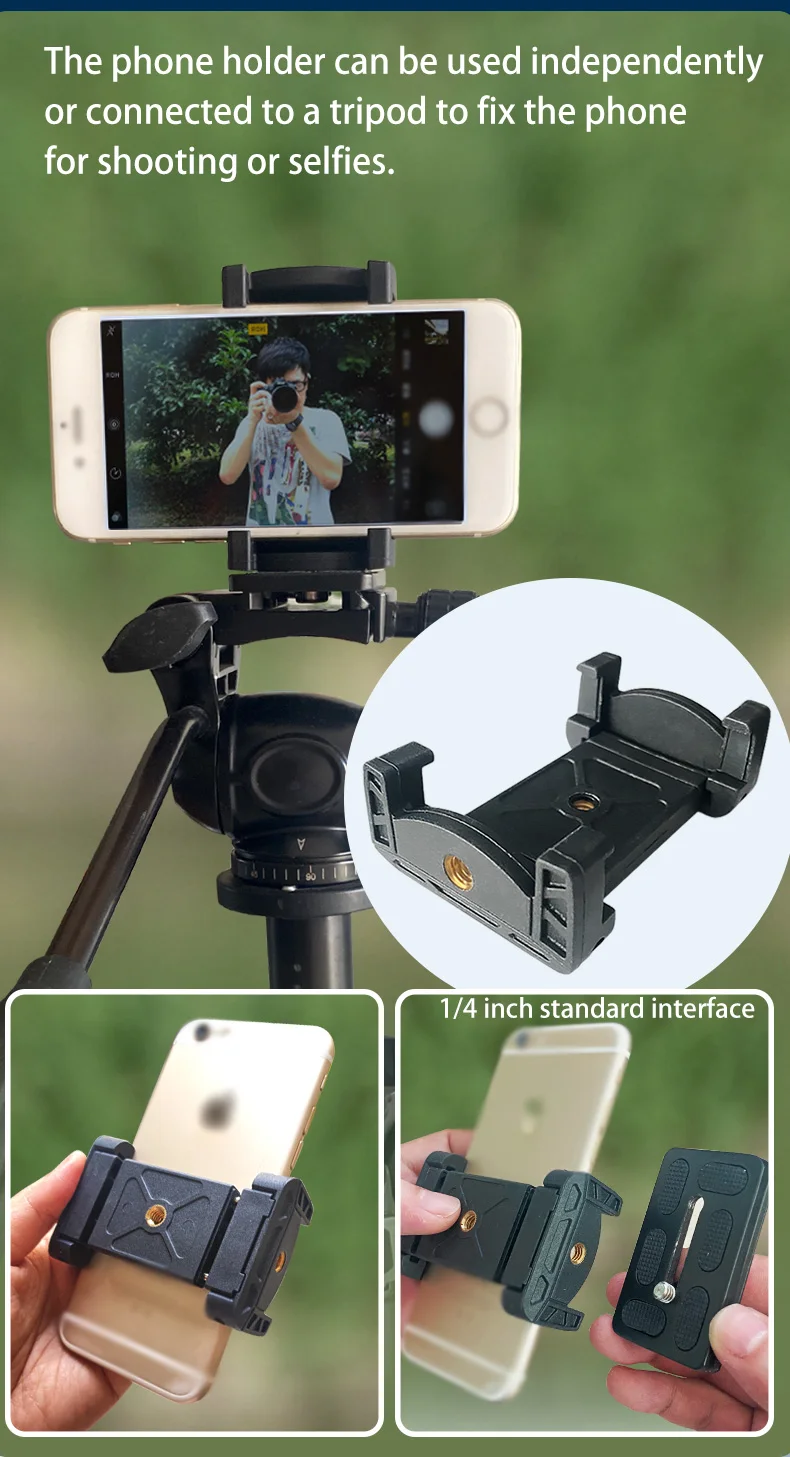
2:Clamp the phone: Pull open the spring clip and place the phone in the clip slot, taking care to avoid the side buttons of the phone.
3:Alignment: After aligning the center of the metal collar with the main camera of the phone, tighten the fixing screw.
4:Eyepiece: After the ring is put into the telescope eyepiece, tighten the three adjustment screws at equal distances.
When inserting the ferrule into the eyepiece,generally press it all the way (Figure 1).
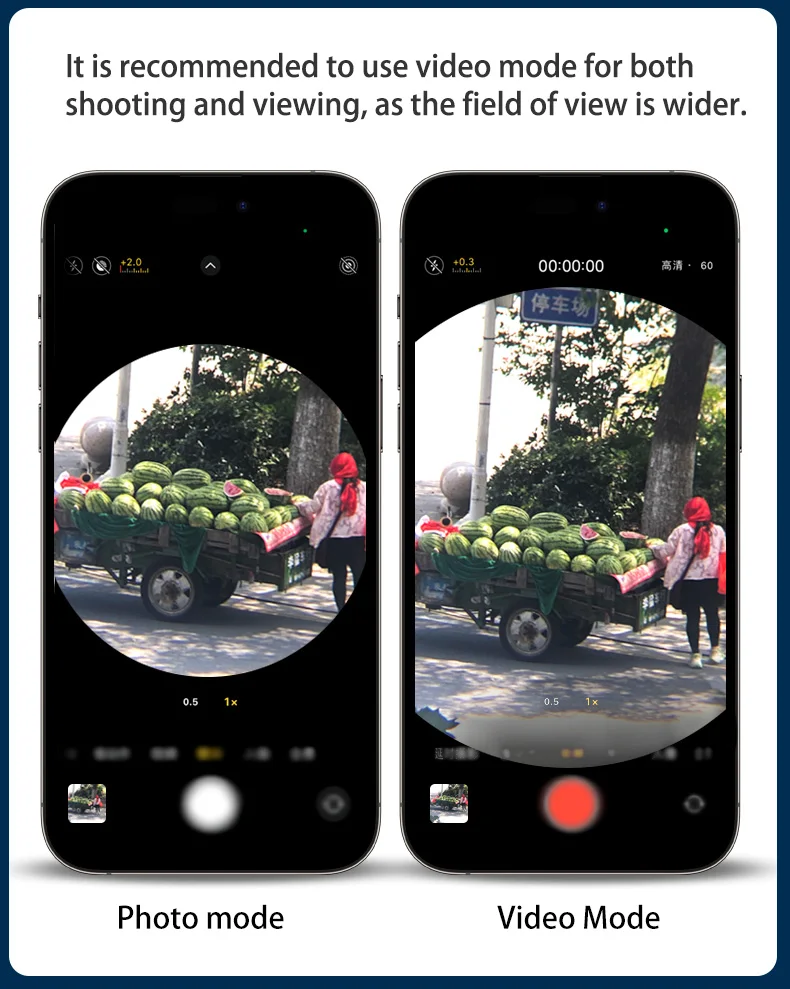
Since the exit pupil distance of each telescope is different, if you find that the field of view is too small, you don’t need to press it all the way (Figure 2).
Or you can rotate the eyecup out a little to adapt to the corresponding pupil distance of the telescope to ensure the maximum field of view.
Fold-out eye mask
For telescopes with rubber eyepieces, be sure to flip down the rubber eyepieces when connecting a mobile phone.
At the same time, please note that the depth of the metal ring fixed on the eyepiece should be at the position of the telescope's own pupil distance to obtain the maximum field of view, as shown in the following figure:
